Manufacturing equipment obsolescence planning from Tech-Tastic is the process of identifying which machines, controllers, and critical components in your shop are approaching end-of-life — and building an IT infrastructure strategy around that reality before a failure forces the issue. The machine that runs your most critical job does not announce when it is about to become a paperweight. A CNC you have run for eleven years goes down on a Tuesday, the controller board is discontinued, and the only refurbished unit available has a six-to-eight week lead time. Your customer delivery window is three weeks out. That scenario is not an edge case — it is the most common crisis Tech-Tastic responds to for manufacturers in Wisconsin.
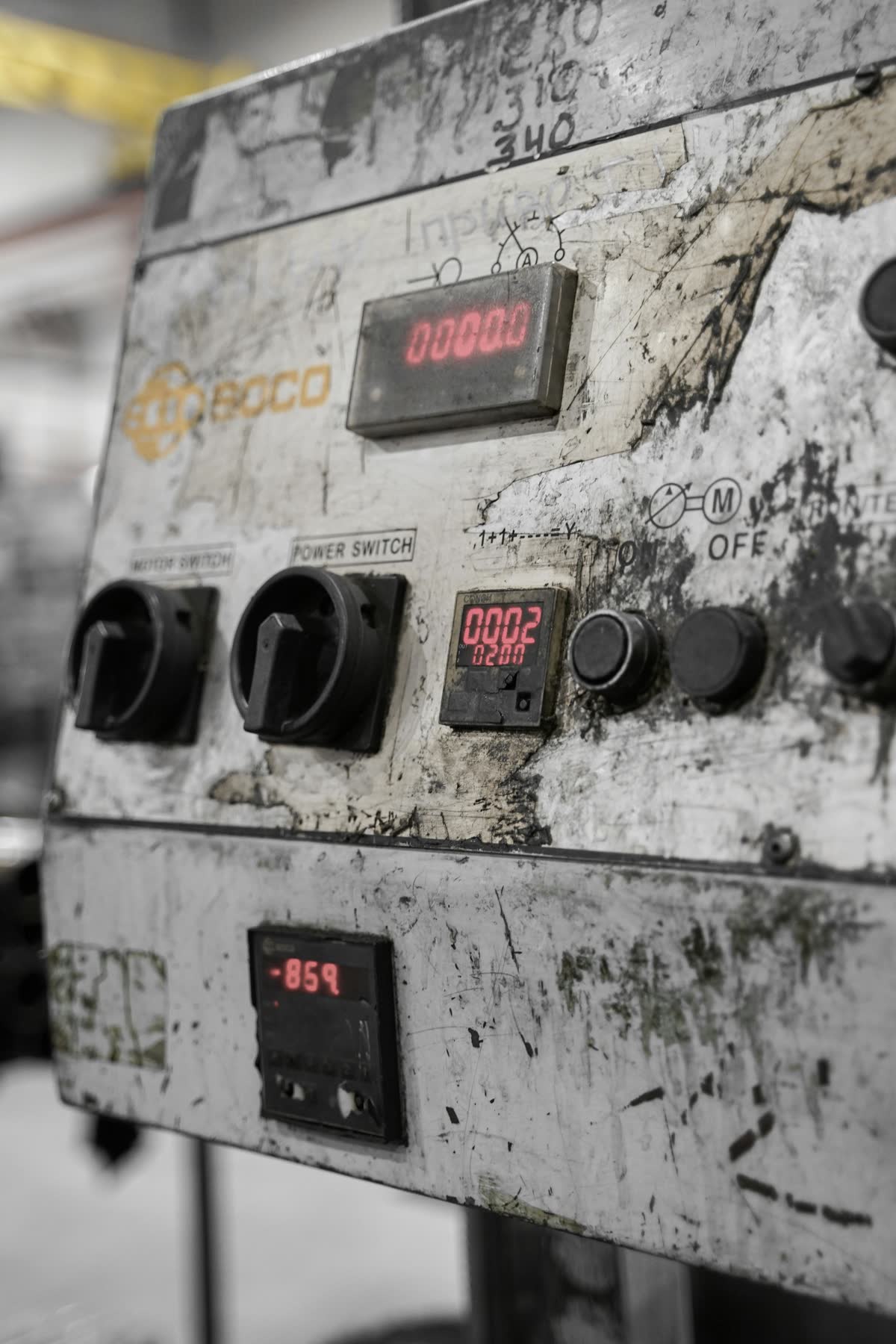
Here’s the scene. A CNC you’ve run for eleven years goes down on a Tuesday. Your maintenance tech pulls the error code, calls the dealer, and gets the news: the controller board that failed was discontinued two years ago. The only refurbished unit available has a six-to-eight week lead time. Your customer delivery is in three. Every option is bad. Aberdeen Research puts manufacturing downtime at $3,200 per minute for mid-size operations. The discontinued part isn’t what’s costing you. The decision to not plan for it is.
That scenario is the predictable result of running equipment whose end-of-life status nobody tracked. Manufacturing equipment obsolescence planning is the discipline of making sure you never find out a part is discontinued the day you need it. Shops that plan stay competitive. Shops that don’t find out why they should have.
On This Page
- What Is Manufacturing Equipment Obsolescence?
- Why Obsolescence Planning Is a Competitive Advantage
- Working With Your Maintenance and Production Teams
- The IT Role in Obsolescence Planning
- What We Document and Track
- IT and OT Downtime Response Planning
- How to Start
- Frequently Asked Questions
- Stop Waiting for the Crisis Call
What Is Manufacturing Equipment Obsolescence?
Manufacturing equipment obsolescence planning is the systematic process of identifying machines, controllers, firmware versions, and critical components that are approaching end-of-life — and building a mitigation strategy before a failure forces an emergency response. Obsolescence happens when the OEM stops manufacturing replacement parts, issues firmware updates, or provides technical support for a platform. For manufacturers, this is not an abstract IT risk. It is the CNC controller board that gets discontinued, the industrial PC running a machine interface that can no longer be patched, or the proprietary communication protocol that loses vendor support while the machine itself has twenty years of productive life remaining. Tech-Tastic’s obsolescence planning process maps every production-critical system against its known end-of-life timeline and builds a ranked remediation roadmap before the failure occurs.
Hardware
Controller boards, servo drives, spindle motors — no longer manufactured or stocked by the OEM.
Software
Embedded operating systems like Windows XP that no longer receive patches. If you’ve seen that blue screen on a CNC control, you know exactly what this looks like.
Protocol
Communication interfaces that can’t connect to modern DNC systems, machine monitoring, or ERP without custom middleware.
Vendor
OEMs that have been acquired, gone out of business, or discontinued a product line entirely — no support path at any price.
Any of these can turn a working machine into a stranded asset the day of a failure. The problem is not that equipment ages — it’s that most shops don’t know what they’re running until something breaks.
Why Obsolescence Planning Is a Competitive Advantage
Precision manufacturers and contract shops run on tight margins. When you’re competing for the same jobs as shops across the region, the difference between winning repeat business and losing a customer often comes down to one thing: did you deliver on time? An unplanned machine outage doesn’t just cost you that production run. It can cost you the relationship.
Planning before a crisis is how you stay competitive. Shops that know the end-of-life status of their equipment make better capital decisions, stock critical spares before they become impossible to find, and avoid the emergency premium of sourcing a discontinued part under deadline pressure. For shops operating on thinner margins, that single unplanned event can erase the profitability of an entire job run.
A planned retrofit on your schedule costs what it costs. An emergency replacement — if you can find the part — costs that plus expedited freight, lost production hours, potential overtime, and the customer conversation about a missed delivery. Obsolescence planning is not overhead. It is margin protection.
Working With Your Maintenance and Production Teams
We don’t come in and hand your maintenance team a problem. We work alongside them. Your maintenance staff knows these machines — which ones run hot, which ones operators baby because they’re starting to feel different. We bring the IT and OT documentation layer, the network visibility, and the specialized toolset. They bring the floor knowledge. Together that combination gives your team something most shops have never had: a complete picture of your equipment’s risk profile in one place.
That visibility changes how decisions get made. When maintenance knows a controller platform is 18 months from end-of-life, they can advocate for a budget line before it’s a crisis. When production knows a specific machine carries higher outage risk, they can factor that into scheduling decisions. We surface the data. Your teams use it.
The IT Role in Obsolescence Planning
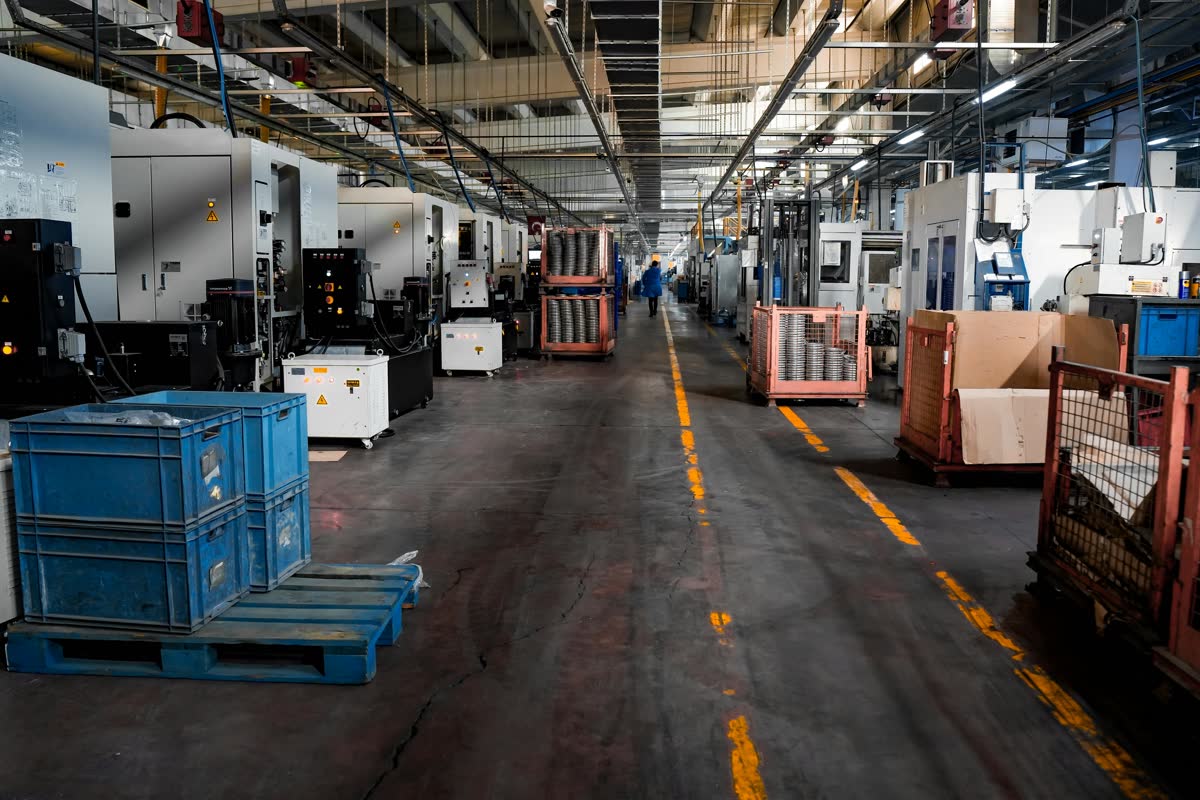
Standard managed IT focuses on the office — servers, workstations, email, accounting software. The production floor is treated as someone else’s problem. The embedded system running a $400,000 machining center on Windows XP isn’t on anyone’s radar — until it is. Production-First IT treats the shop floor as the priority, not an afterthought.
OT Asset Documentation
CNCs, PLCs, HMIs, DNC systems, machine monitoring hardware — documented the same way office IT assets are. Make, model, serial, firmware version, OS version, support status, parts availability window. Including disconnected, unnetworked equipment.
End-of-Life Tracking
OEMs announce controller platform EOL dates in advance. We track those dates against your installed equipment and flag approaching windows before they close — not after.
Network Scan
After the floor walk we run a full network scan to surface everything actually connected to your infrastructure — including devices nobody knew were there. What’s on your network is often different from what anyone thinks is on it.
Specialized OT Toolset
We bring diagnostic and utility software tools designed for OT environments that a general IT provider doesn’t carry. Standard network scanners miss things on a shop floor. Ours don’t.
What We Document and Track
- Every production machine — CNC mills, lathes, grinders, EDM, Swiss screw machines, press brakes — make, model, serial, year of manufacture.
- Controller and drive hardware — A 1998 Mazak with a Fanuc 18i controller has two separate obsolescence timelines. We track both.
- Embedded software versions — OS version, CNC software version, last patch date, current support status.
- OEM support status — Is the OEM still in business? Is this product line supported? What is the parts availability window?
- Connectivity method — RS-232, Ethernet, USB, proprietary DNC? What happens to production if that connection method stops working?
- Spare parts inventory — What critical components are stocked? What has a lead time that would stop production today if it failed?
- Replacement timeline and cost estimate — When does this machine need action on your schedule versus the crisis schedule?
IT and OT Downtime Response Planning
The money you lose when a machine goes down doesn’t care why it went down. A ransomware attack, a failed controller board, a corrupted CNC program, a network outage — the production hour is gone either way. That’s why we build a combined IT and OT downtime response plan, not separate IT and maintenance playbooks that don’t talk to each other.
Our response plan is built on root cause analysis — the same discipline used in lean manufacturing and quality systems. When something goes down, we trace back to the actual failure point, document what happened, and build a corrective action that addresses the source. That process works whether the root cause is a cyberattack, a mechanical failure, a software conflict, or an aging component that finally gave out. The methodology is the same either way. Where relevant, safety considerations are built into the response steps alongside the production and IT recovery procedures.
The plan covers: response steps by role, escalation paths, vendor contact lists with current remote access credentials, CNC program recovery procedures, and a post-incident review process. When downtime happens — and it will — you want a plan in place before you need it.
How to Start
The best time to plan is before you need to. Not the day the part is discontinued, not during the emergency freight call — now, while you have time to make good decisions, budget on your schedule, and act on your terms. Shops that plan for obsolescence don’t just avoid downtime crises. They make better capital investments, carry the right spare inventory, and walk into customer conversations with the confidence that their production floor is under control. That’s a competitive position, not just risk management.
It starts with a floor walk — a physical inventory of every production machine with a control system or network connection, including unnetworked equipment. That’s followed by a network scan to find everything actually on your infrastructure. Together those two steps produce a complete asset picture most shops have never had. From there we build a prioritized risk register: what needs action in the next 12 months, what can be monitored, and what spare components are worth stocking now.
Frequently Asked Questions
How is this different from regular maintenance?
Maintenance keeps equipment running within its expected lifespan. Obsolescence planning addresses what happens at the end of that lifespan — when parts or software support are no longer available. A machine can pass every maintenance inspection and still be a crisis waiting to happen if a critical component has no replacement path.
Do I need to replace old equipment immediately if it’s still running?
No. The goal is a documented decision made on your timeline. You may decide to stock critical spare components, negotiate extended support with the OEM, or plan a controlled replacement during a scheduled window. What you want to avoid is making that decision under production pressure after a failure.
Is this only relevant for very old equipment?
No. CNC controller platforms can reach end-of-life support in as few as 10 to 12 years. Equipment purchased in the early 2010s may already be in a window where parts are becoming scarce. The relevant threshold is not the machine’s age — it’s whether the manufacturer still supports the control electronics and embedded software.
Can my existing IT partner handle this?
Most can’t — and it’s not just a knowledge gap. This work requires specialized diagnostic and utility tools designed for OT environments that aren’t part of a standard IT toolkit. If your IT partner has never been on your shop floor, they don’t have the experience or the toolset.
Should I just air-gap my machines to avoid cyber risk?
Air-gapping sounds simple but creates a different set of problems. Disconnected machines rely on USB drives for program transfers — and USB drives are one of the most common malware vectors in manufacturing. When something goes wrong on an air-gapped machine, tracing the source of a corrupted file is significantly harder without network logs. Beyond security, disconnected machines mean longer setup times, no machine monitoring visibility, and no DNC integration — all of which cost production efficiency and make your shop less competitive. A properly segmented and monitored network connection is both more secure and more productive than no connection.
What does the obsolescence planning process look like?
It starts with a floor walk — physical documentation of every production machine with a control system or network connection. We follow that with a network scan to find everything actually on your infrastructure. Together those build your asset register. From there: a prioritized risk report covering what needs action in the next 12 months, what can be monitored, and what spare components are worth stocking now.
How does the IT and OT response plan work?
A single plan covering both IT and mechanical downtime using root cause analysis as the foundation — response steps by role, escalation paths, vendor contacts, CNC program recovery procedures, safety considerations where applicable, and a post-incident review process. The cost of downtime is the same regardless of source. The response discipline should be too.
Stop Waiting for the Crisis Call
One question: do you know the end-of-life status of the control systems running your most critical machines? If the answer is no — or even “I’m not sure” — that’s where the risk lives.
Tech-Tastic offers a free 30-minute Manufacturing Uptime Audit. No contracts, no jargon, no vendor pitch. We walk through your production infrastructure, identify your highest-risk obsolescence exposure, and tell you what we’d address first. Plan now. Stay competitive.
Book your free Manufacturing Uptime Audit.
Learn how we approach production-floor IT: Managed IT Services for Manufacturers.